
Submit Game Score on Mobile
Select Schedule from the top navigation on mobile to view the scheduled games for your team(s). Games missing scores will be flagged with a yellow triangle. Click on the desired game to set the score.
Once you have opened the game details for a game, you will select Set Score, add the score, and save.
Submit Game Score on Desktop
Select Schedule from the left navigation on desktop to view the scheduled games for your team(s). Click Set Score beside the game for which you wish to add a score. Input the score and save.
Score Change Requests
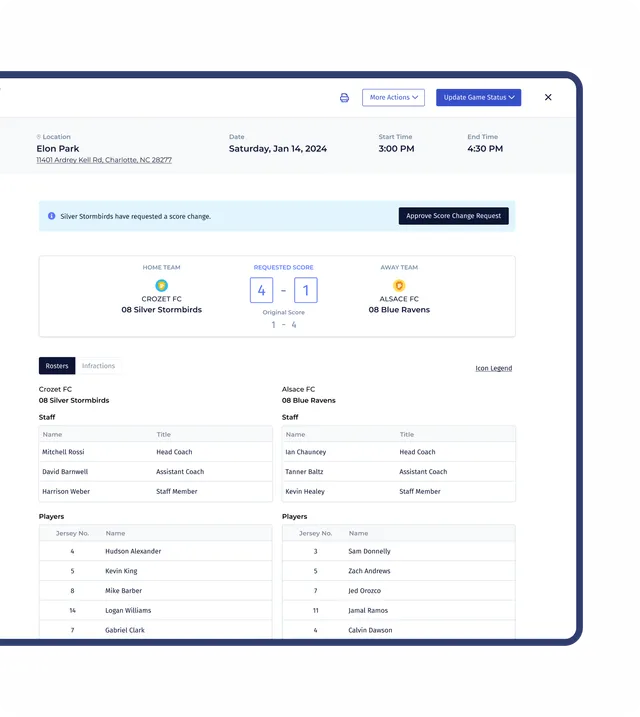
If one team has already entered the score for game and you wish to submit a different score, you have the option to submit a score change request for the governing admins to review. You can request a score change from the Game Details by clicking on the desired game via the Schedules area. Score change requests will then be evaluated by the governing admins.

Leave a Reply